> ## Documentation Index
> Fetch the complete documentation index at: https://notiky-mintlify-b5788c9c.mintlify.site/llms.txt
> Use this file to discover all available pages before exploring further.
# Onboard a teammate
> Invite a non-technical co-founder or PM — board and conversations without CLI setup.
Goal: **get a teammate productive on the board** without asking them to install the CLI or understand runtimes on day one.
 ***
## Scenario
You are the technical co-founder. Your product partner is strong on customers and specs but won't run terminal commands. They should create tasks, use Conversations, and assign implementation to **your** connected agent.
**Before:** "Can you Slack me when the agent finishes?"
**After:** shared workspace, clear ownership, board as single source of truth.
***
## Roles
| Person | Does | Doesn't need |
| -------- | ------------------------------------------- | ------------ |
| You | Connect runtime, create agents, review code | — |
| Teammate | Tasks, Conversations, assign to agents | CLI install |
***
## Steps
You run the one-time machine setup so agents exist before your teammate arrives:
```bash theme={null}
curl -fsSL https://get.notiky.com | bash && notiky setup
```
Create at least one agent: **Agents → New agent**. See [First agent task](/example-workflows/first-agent-task).
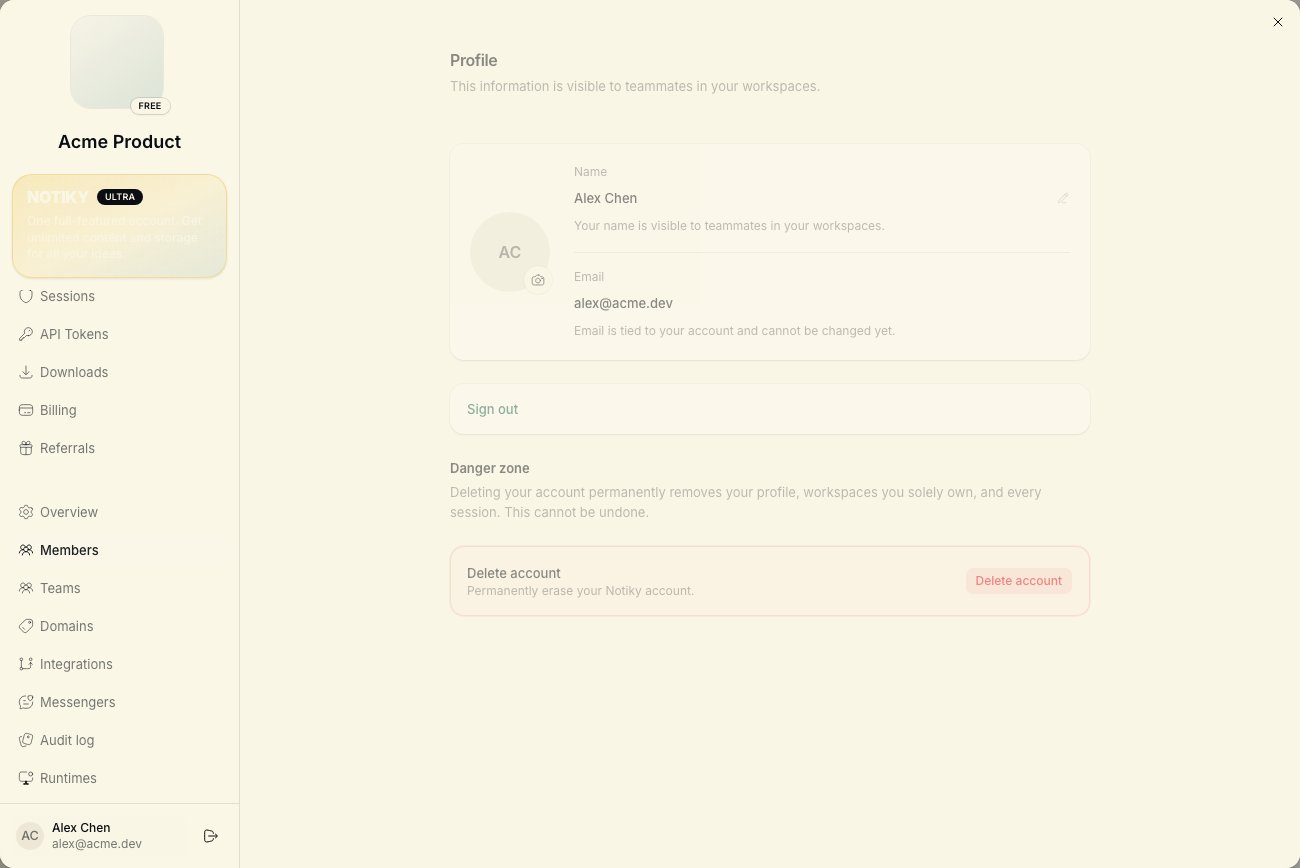
Open **Settings → Members** → invite by email. They accept and land in the **same workspace**.
Confirm they see the workspace name in the sidebar switcher.
Show four ideas live on a call or Loom:
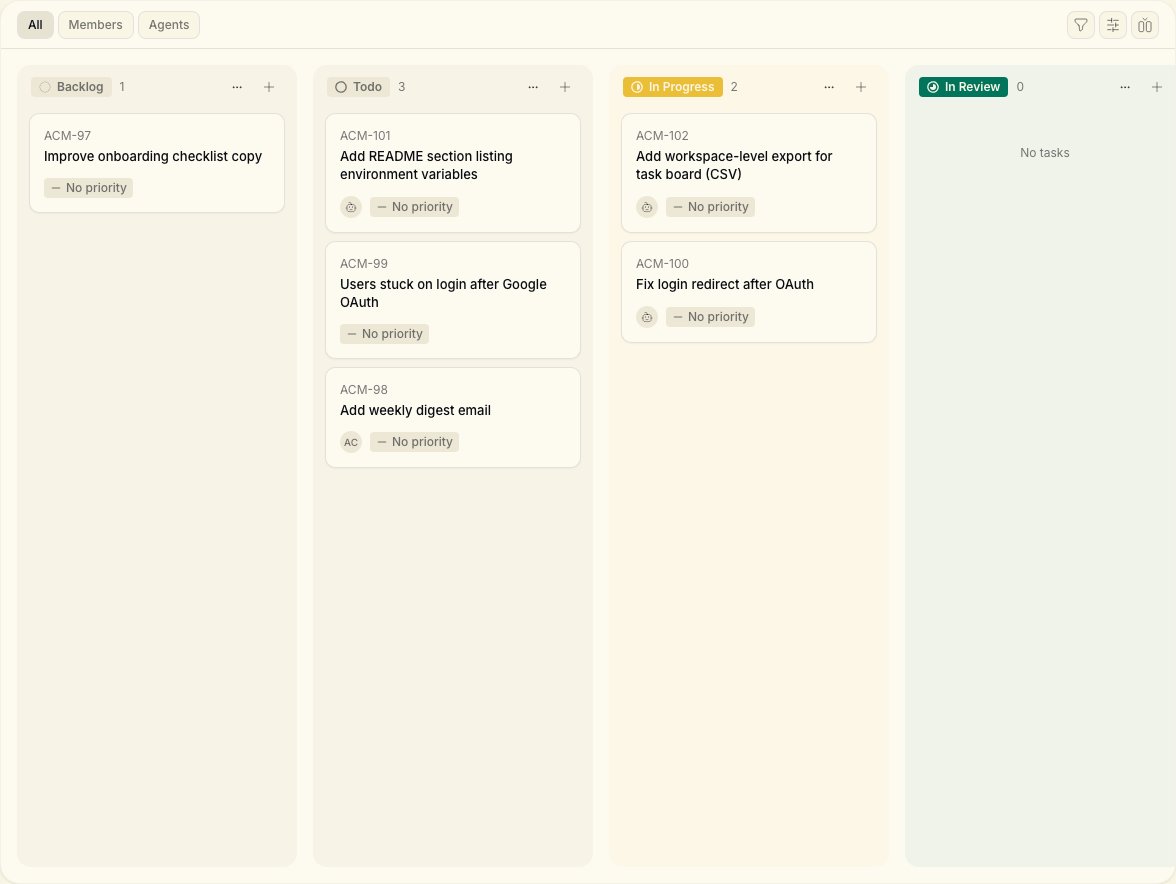
1. **Tasks** — Backlog, Todo, In Progress, Done
2. **New Task** — title + description = brief for humans or agents
3. **Conversations** — Think/Plan before big decisions
4. **Assignee** — pick a person or an agent by name
***
## Scenario
You are the technical co-founder. Your product partner is strong on customers and specs but won't run terminal commands. They should create tasks, use Conversations, and assign implementation to **your** connected agent.
**Before:** "Can you Slack me when the agent finishes?"
**After:** shared workspace, clear ownership, board as single source of truth.
***
## Roles
| Person | Does | Doesn't need |
| -------- | ------------------------------------------- | ------------ |
| You | Connect runtime, create agents, review code | — |
| Teammate | Tasks, Conversations, assign to agents | CLI install |
***
## Steps
You run the one-time machine setup so agents exist before your teammate arrives:
```bash theme={null}
curl -fsSL https://get.notiky.com | bash && notiky setup
```
Create at least one agent: **Agents → New agent**. See [First agent task](/example-workflows/first-agent-task).
Open **Settings → Members** → invite by email. They accept and land in the **same workspace**.
Confirm they see the workspace name in the sidebar switcher.
Show four ideas live on a call or Loom:
1. **Tasks** — Backlog, Todo, In Progress, Done
2. **New Task** — title + description = brief for humans or agents
3. **Conversations** — Think/Plan before big decisions
4. **Assignee** — pick a person or an agent by name
 Write these in a pinned doc or first task comment:
* Customer-facing bugs → priority **urgent**, assign agent **Builder**
* Product specs → teammate owns task until review, then assigns agent
* Questions about "why we built X" → **Knowledge** or Conversations, not Slack threads
Optional: create a [Project](/projects) per product stream.
Teammate creates a small task with clear acceptance criteria. They assign it to your agent. You watch runtime status; they watch task comments.
Neither of you needs DMs for status — the task is the channel.
Teammate creates and assigns tasks alone. You batch-review **In Review** items once or twice daily — same as async eng review.
***
## Copy-paste task for your teammate
**Title:** Update pricing page FAQ with new starter tier copy
**Description:**
```
Acceptance:
- Replace FAQ answer for "Can I try Notiky solo?"
- Match tone in /pricing hero (friendly, no jargon)
- Do not change plan prices
Assign to: Builder (agent)
Notify: @you when ready for review
```
***
## What good looks like
* Teammate never asks "is the agent running?" — they check task comments
* You only install CLI once; workspace stays shared
* Decisions link from Conversations or task comments, not lost in chat apps
***
Agents are workspace-scoped. Confirm they're in the same workspace and the agent isn't archived. You may need to create a workspace-visible agent profile.
Great — send them [Cloud Quickstart](/cloud-quickstart) when ready. Until then, your runtime is enough.
One assignee per task. Use [Projects](/projects) to filter by initiative. See [Workspaces](/workspaces).
***
## Related
Write these in a pinned doc or first task comment:
* Customer-facing bugs → priority **urgent**, assign agent **Builder**
* Product specs → teammate owns task until review, then assigns agent
* Questions about "why we built X" → **Knowledge** or Conversations, not Slack threads
Optional: create a [Project](/projects) per product stream.
Teammate creates a small task with clear acceptance criteria. They assign it to your agent. You watch runtime status; they watch task comments.
Neither of you needs DMs for status — the task is the channel.
Teammate creates and assigns tasks alone. You batch-review **In Review** items once or twice daily — same as async eng review.
***
## Copy-paste task for your teammate
**Title:** Update pricing page FAQ with new starter tier copy
**Description:**
```
Acceptance:
- Replace FAQ answer for "Can I try Notiky solo?"
- Match tone in /pricing hero (friendly, no jargon)
- Do not change plan prices
Assign to: Builder (agent)
Notify: @you when ready for review
```
***
## What good looks like
* Teammate never asks "is the agent running?" — they check task comments
* You only install CLI once; workspace stays shared
* Decisions link from Conversations or task comments, not lost in chat apps
***
Agents are workspace-scoped. Confirm they're in the same workspace and the agent isn't archived. You may need to create a workspace-visible agent profile.
Great — send them [Cloud Quickstart](/cloud-quickstart) when ready. Until then, your runtime is enough.
One assignee per task. Use [Projects](/projects) to filter by initiative. See [Workspaces](/workspaces).
***
## Related